
 Call us now:



Managing business finances is one of the most important responsibilities for entrepreneurs. Whether someone runs a retail store, a consulting company, an online business, or a service-based organisation, keeping accurate financial records helps maintain stability and support future growth. An effective accounting system for small business makes it easier to track income, manage expenses, monitor cash flow, and understand overall financial performance.
Many small business owners initially manage their finances using spreadsheets or manual records. However, as a company grows, financial activities become more complicated. Having a reliable accounting system can reduce administrative work, improve accuracy, and provide useful information for making better business decisions.
What Is an Accounting System?
An accounting system is a method or software solution used to record, organise, and manage a company’s financial transactions. It helps business owners maintain records of sales, purchases, expenses, payments, invoices, and other financial activities.
A good system brings important financial information together in one place. Instead of maintaining separate records for every transaction, businesses can use accounting tools to organise their financial data and generate reports.
Most modern accounting systems include features such as invoicing, expense tracking, bank reconciliation, financial reporting, and tax-related record management.
Why Small Businesses Need an Accounting System
Small businesses often operate with limited budgets and employees. Business owners may handle financial responsibilities alongside marketing, customer service, sales, and daily operations.
Without an organised accounting process, it can become difficult to understand how much money the business earns and spends. Missing transactions or incorrect records may also create problems during financial reviews and tax preparation.
An accounting system helps businesses maintain accurate records and monitor their financial position. It allows owners to identify unnecessary expenses, track outstanding customer payments, and understand whether their company is operating profitably.
Regular financial reporting also helps entrepreneurs make informed decisions about hiring employees, purchasing equipment, and expanding operations.
Essential Features of Small Business Accounting Software

Not every business requires advanced accounting software. However, certain features can make financial management easier.
Invoicing and Billing: Businesses can create professional invoices, send payment requests, and monitor outstanding customer balances.
Expense Tracking: This feature helps record business purchases, supplier payments, travel costs, and other operating expenses.
Bank Reconciliation: It allows users to compare accounting records with bank statements to identify missing or incorrect transactions.
Financial Reporting: Reports such as profit and loss statements, balance sheets, and cash flow summaries help owners understand business performance.
Payroll Management: Some accounting platforms offer payroll features or integrations to help organise employee payments and related records.
Tax Management: Accounting software can help organise financial information needed for tax calculations, reporting, and filing.
Popular Accounting Software for Small Businesses
Several accounting platforms offer tools designed for small businesses. The best choice depends on company size, budget, location, and financial requirements.
QuickBooks
QuickBooks is a popular accounting platform that offers invoicing, expense tracking, financial reporting, and bank transaction management. It provides different plans for businesses with varying accounting needs.
Xero
Xero is cloud-based accounting software that helps businesses manage invoices, expenses, bank transactions, and financial reports. It also supports integrations with various business applications.
FreshBooks
FreshBooks is particularly useful for freelancers, consultants, and service-based businesses. Its features include invoicing, expense management, time tracking, and payment management.
Zoho Books
Zoho Books provides accounting tools for managing invoices, expenses, customer payments, and financial reports. It can also integrate with other applications within the Zoho business software ecosystem.
Before selecting any platform, businesses should compare pricing, available features, local tax support, and integration options.
Cloud-Based Accounting vs Traditional Accounting
Traditional accounting methods often involve paper records, spreadsheets, and manually maintained financial documents. Although these methods may work for very small operations, they can become difficult to manage as transaction volumes increase.
Cloud-based accounting software allows authorised users to access financial information through an internet connection. Business owners can review invoices, monitor expenses, and check reports from different devices.
Cloud systems may also offer automatic backups, software updates, and integrations with banking platforms. However, businesses should choose providers with appropriate security measures and maintain suitable access controls.
For many growing companies, cloud-based accounting provides greater flexibility and convenience.
How to Choose the Best Accounting System
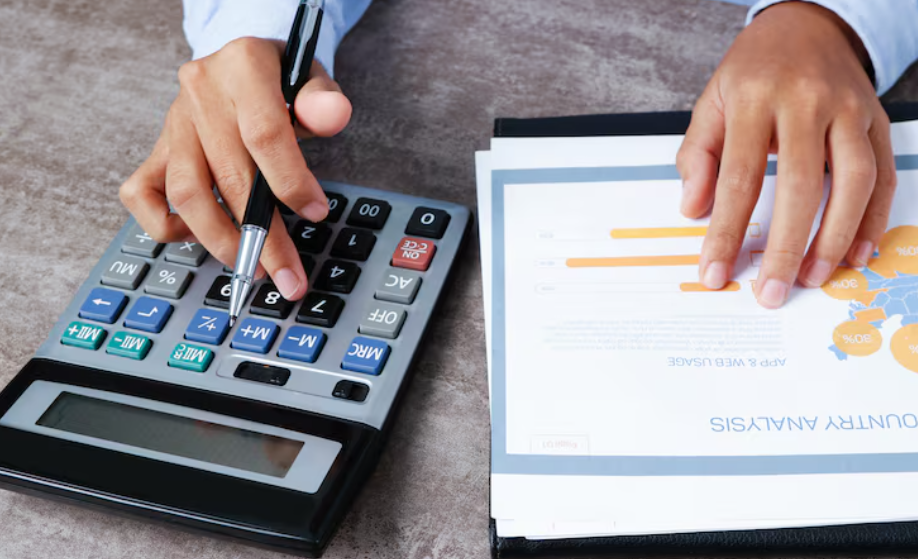
Selecting the right accounting solution requires understanding your business requirements. A freelancer may need basic invoicing and expense tracking, while a company with employees and multiple departments may require more advanced features.
Consider these factors before making a decision:
- Business Size: Choose software that matches your current operations and expected growth.
- Budget: Compare subscription costs, additional fees, and available plans.
- Ease of Use: Select a platform that you and your employees can understand easily.
- Tax Requirements: Make sure the software supports the tax rules applicable to your location.
- Integration: Check whether it connects with your banking, payroll, inventory, or payment systems.
- Customer Support: Reliable technical assistance can help resolve accounting software issues.
Taking time to compare different options can help prevent unnecessary expenses and future difficulties.
Tips for Maintaining Accurate Financial Records
Choosing accounting software is only the first step. Businesses must also follow consistent financial management practices.
Record transactions regularly instead of waiting until the end of the month. Keep business and personal expenses separate to make financial tracking easier. Save invoices, receipts, and payment confirmations for future reference.
Review bank statements frequently and investigate unusual transactions. Business owners should also prepare financial reports regularly to understand revenue, expenses, and cash flow.
Working with a qualified accountant or bookkeeper can provide additional support when dealing with complicated financial matters and tax requirements.
Conclusion
An organised financial process is essential for running a successful business. From tracking daily expenses and creating invoices to monitoring cash flow and preparing financial reports, accounting software can make financial management easier and more efficient. Choosing the right accounting system for small business depends on your budget, operational needs, and long-term goals. With suitable software and consistent bookkeeping practices, entrepreneurs can maintain accurate records, make informed decisions, and build a stronger foundation for sustainable business growth.